
I want to tell you about the most beautiful workflow I’ve ever built, so you can appreciate how badly I broke it.
Early in my career I managed 600 PC workstations across 12 computer labs. Four different hardware types meant four separate disk images, and I maintained all of them using Symantec Ghost, the industry standard for cloning workstations at the time. My process was glorious. I’d run Windows Updates on a prototype workstation, update every software application to the latest version, clean up unnecessary files, and configure a folder of desktop shortcuts so students wouldn’t have to wrestle with the Start Menu. Then I’d upload that prototype image to my Ghost server, which was actually just a workstation in my office dedicated to blasting images to lab computers across the campus network.
During break weeks, when students weren’t using the labs for academic work, I’d lock a lab’s door, remotely connect to my Ghost server, and send a command to the 30+ workstations in the room. I’d watch them all automatically reboot, connect to the reimaging session, and receive a 30 GB image chunk by chunk. It normally took 90 minutes to complete. I’d read a magazine while everything got transmitted; there was nothing I needed to do but watch the process. When the imaging finished, every workstation rebooted at the same time, received its specific computer name to be recognized on the campus network, rebooted again, and came back up to the login screen with custom background wallpaper. Different wallpaper every term, on purpose, so I could spot at a glance which workstations might not have received a successful update. I’d log into a random workstation with a guest account, verify printing and internet access, reboot, open the lab, and move on to the next one.
Those were the good ol’ days.
As part of my workstation customizations, I always set a specific homepage URL on every lab workstation so the browser would launch directly to the university portal. Students expected it. It was the front door of their campus experience on any lab computer. For some reason, and I have no one to blame but myself, I fat-fingered one additional character in the URL address before uploading the prototype image.
That particular prototype served four computer labs, about 120 workstations. After I reimaged these four labs I merrily went on my way to the next labs, not knowing the spike in stress I was about to encounter.
An email came in from the help desk. Internet’s down in a computer lab. Students can log in, but they’re getting an error message in the browser. No university portal. Multiple labs reporting the same thing. Then I got a phone call from the help desk. Voicemails. In-person visits from student help desk employees. I was in a different lab across campus, not checking my email or voicemail. Once I got back to my office, I saw the sticky note on my desk, the blinking light on my office phone signaling a voicemail, and the numerous emails with the subject “lab internet down.”
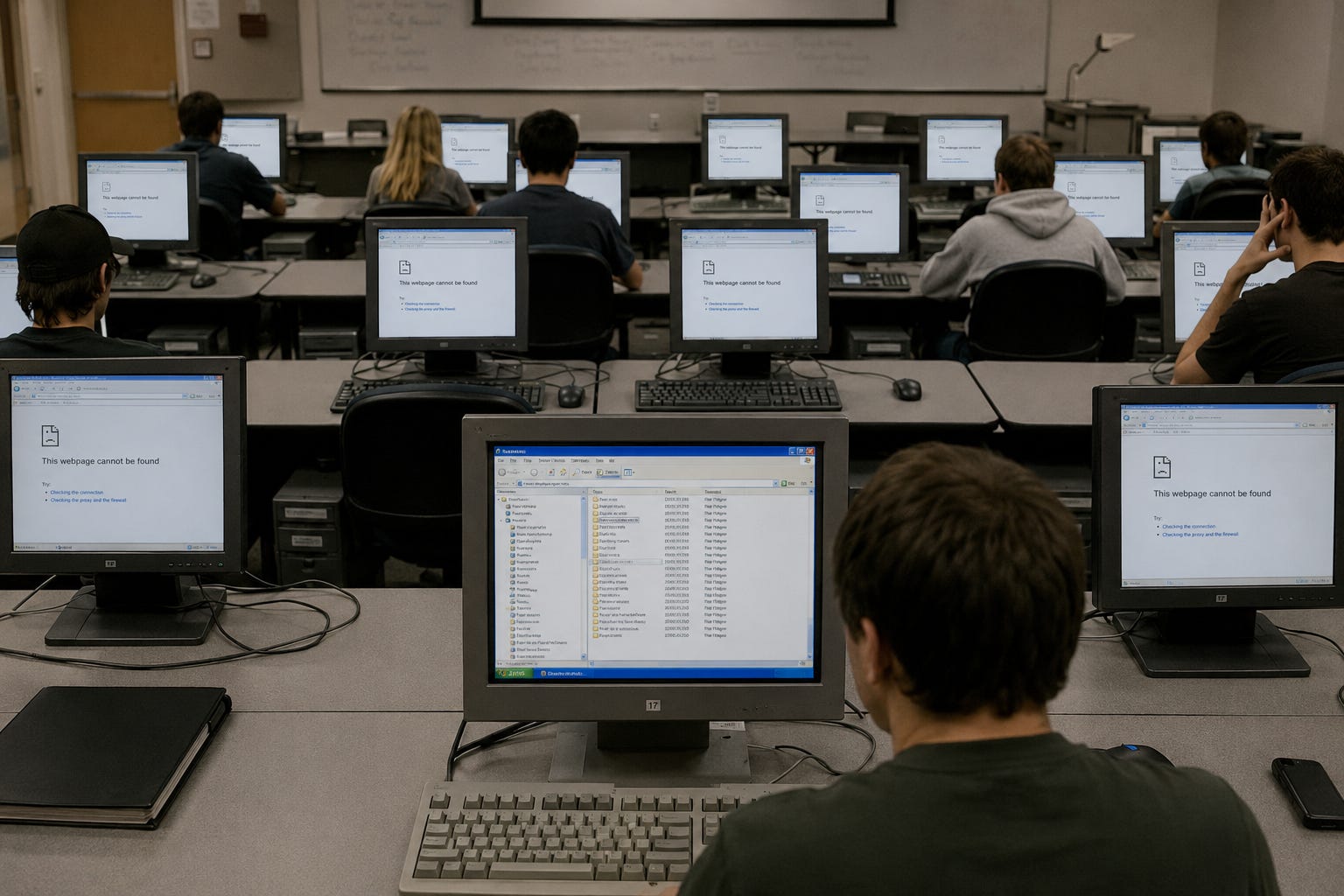
I headed to one of the affected labs, sat down at a workstation in the back of the room so I could watch students’ screens without drawing attention, and saw every single one of them log in and land on a browser error page. I logged in myself, saw the error, looked at the URL in the browser settings, and noticed the extra letter in the .edu address.
I groaned.
The internet was working fine. The startup browser was delivering a dead location. 120 workstations, all showing the same wrong URL, all creating confusion for a growing number of students.
I closed my eyes. My mind raced through options. Close the labs, update the prototype image, upload it to my server, reimage every lab again. That would work, but it would mean kicking students out. I avoided that whenever possible. Disrupting their academic work because of my mistake felt like compounding the error.
Then I saw the solution in my mind.
In Windows Explorer, using my admin credentials, I could type a UNC path into the address bar, something like \LabComputerName\C$\All Users\Startup (it’s been over 20 years and my mind is fuzzy on the exact pathname), and I could remotely access another workstation’s startup folder from the one I was sitting at. I could right-click on the browser shortcut, select Properties, delete the incorrect character in the URL, click OK, and things would work correctly for the next person logging in.
I had 119 workstations to fix across four labs. So on the 27-inch monitor in front of me, I set up four Windows Explorer windows, one in each corner, and started hyperclicking and typing like a maniac. Workstation by workstation, folder by folder, right-click, Properties, delete one character, OK, next. Four at a time.
Ninety minutes later, every workstation in all four labs was fixed. I emailed the help desk from the lab workstation: user error, my bad, and here’s how I resolved it.
I made it back to my office, collapsed into my chair, put my head down on my desk, and quietly admonished myself for doing such a stupid thing. The whole mess started because I didn’t verify my work before uploading the prototype image. One keystroke. One character I didn’t catch cost me ninety minutes of frantic repair. This was something the Council of Wraiths cast a guilty verdict on me. This was something I imagined all the other IT professionals at the university, if they found out, would sneer at me. I didn’t report this to my manager because I was afraid of a loss of confidence in me due to human error. I didn’t tell my co-workers. I kept this goof, emphasis on oof, inside me.
I think about that foul up sometimes. The systems we build are only as reliable as the person operating them. Great bumpersticker slogan. You can automate 90 minutes of reimaging and feel like a wizard, and then one wrong keystroke reminds you that the wizard is still just a person who types things incorrectly at the worst possible time.
More later...